To get artwork right on custom menu covers, send a vector logo file plus a one-color version, decide where the logo sits on the front panel, and choose a foil or ink color that contrasts with the cover material. Customized Menu Covers turns those files into a free mockup within 24 hours, so you approve exactly what will be made.
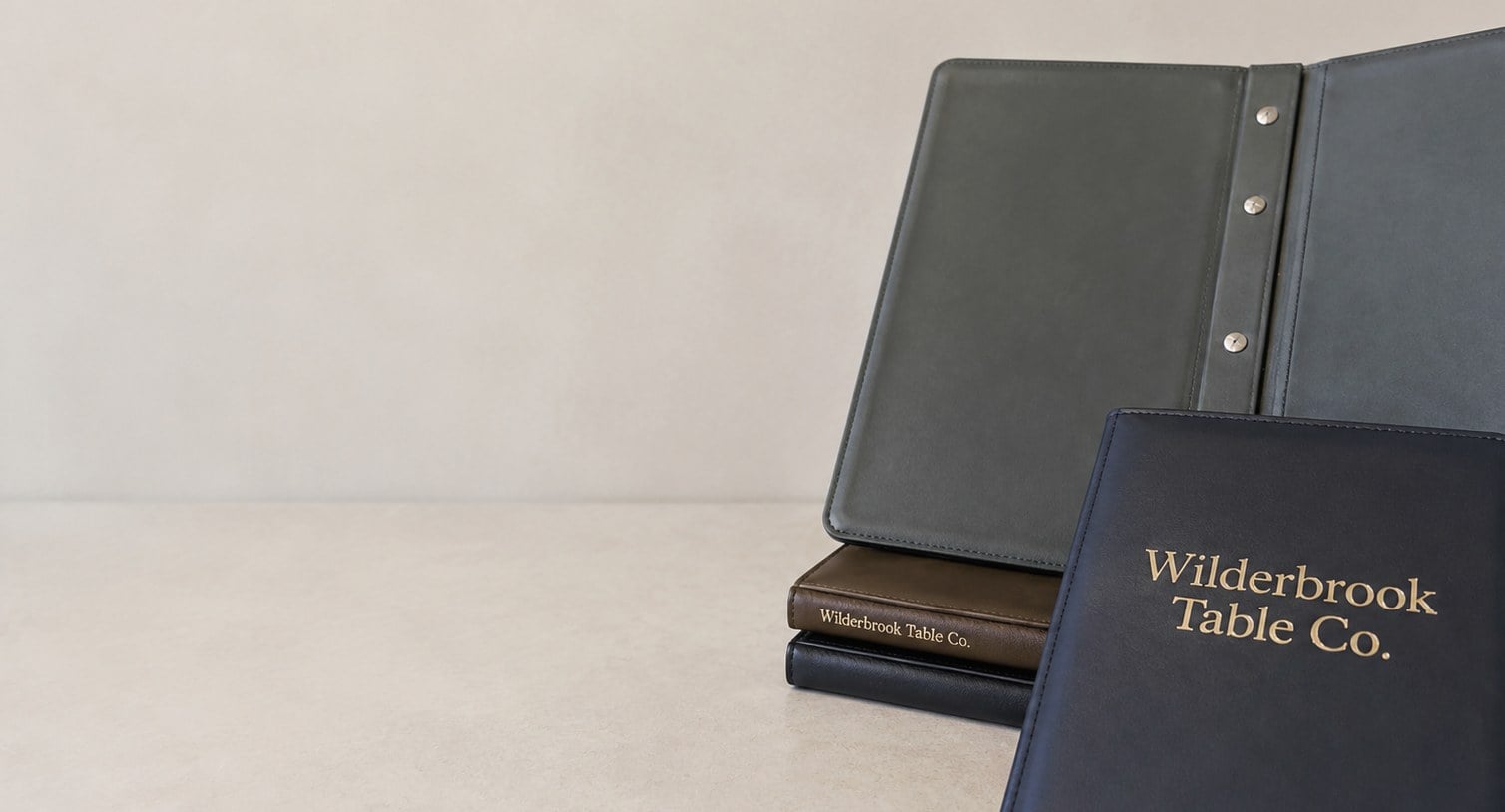
- Vector logo files (AI, EPS, SVG or PDF) give the cleanest menu cover decoration
- Foil stamping and debossing need a one-color version of the logo
- Keep addresses and fine print on the insert, not the cover
- Free mockup within 24 hours, with unlimited free revisions
- Minimum order is 12; standard turnaround about 2 weeks after approval
What logo file should you send for custom menu covers?
The best logo file for custom menu covers is a vector file: an AI, EPS, SVG or a PDF exported from the design program that created the logo. Vector artwork is built from lines and curves rather than pixels, so it stays crisp when it is cut into a foil die, a deboss plate or a screen. Customized Menu Covers can work from other files, but vector artwork gives the cleanest result on the cover.
Many restaurants only have the logo as a photo, a screenshot from the website, or an image pasted into a word processor. Those files are made of pixels, and the edges turn soft or jagged once they are enlarged on a padded front panel. A designer can redraw the mark as vector artwork, and the art team will tell you on the mockup if the file you sent needs that step.
- Best: the original vector file from whoever designed the logo.
- Workable: a high-resolution PDF or a large PNG with a clean background.
- Needs rework: social media images, screenshots, photos of a sign or a printed menu.
If you cannot find the original file, ask the designer or print shop that made your signage, business cards or current menus. They almost always kept the vector master.
How does the decoration method change the artwork you need?
The decoration method changes what your artwork can include. Foil stamping and debossing press a single shape into the cover, so the logo must work as one solid color with no gradients or photographic shading. Screen printing handles a few flat spot colors. Digital printing reproduces full color, but even then fine detail has to survive a textured leatherette surface.
| Method | Artwork that works | Artwork to avoid |
|---|---|---|
| Foil stamping | Solid one-color marks, bold lettering, simple borders | Gradients, drop shadows, hairline strokes |
| Debossing | Strong shapes and wordmarks with open counters | Tiny text, thin script, crowded detail |
| Screen printing | Flat spot colors with clear separation | Photographs, soft color blends |
| Digital printing | Full-color logos and artwork on smooth panels | Very small text on heavily grained material |
If you have not chosen a method yet, the companion guide on foil, deboss, screen print and digital explains how each one looks. For artwork purposes, the practical step is simple: send the full-color version and the one-color version of your logo together. Customized Menu Covers will use whichever fits the method you pick and show it on the mockup.
Where should the logo go on a menu cover?
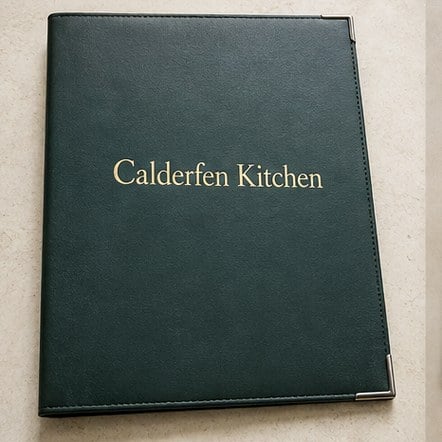
The logo on a menu cover usually sits centered on the front panel, slightly above the middle, where a guest’s eye lands when the cover is handed over closed. That placement reads as deliberate on padded hardback, slip-in and screw-post covers alike. The spine, the back panel and the inside flap are secondary positions for a website, a tagline or a second mark.
Placement depends on the style you order. A clear-pocket cover shows the printed insert through the window, so branding often moves to a band above or below the pocket. An elastic-cord cover needs room around the cord path so the logo is not crossed by the band. A multi-panel fold-out cover may carry the logo on the outer front panel only, keeping inside panels clean for the menu itself.
- Front panel: the main logo or restaurant name.
- Back panel: a small secondary mark, website or social handle.
- Spine: a short name on thicker hardback covers, when the spine allows it.
- Inside: optional, for a story line or a small emblem.
Tell Customized Menu Covers where you picture the logo, and the mockup will show it there with the real cover style behind it.
Which colors work best on leatherette and vinyl menu covers?
The colors that work best on menu covers are the ones that contrast clearly with the cover material. Gold or silver foil on black, burgundy or navy leatherette reads from across a table. A blind deboss with no color at all looks quiet and upscale on dark materials. On light covers, a dark foil or printed ink gives the logo enough weight to stand out.
Your brand colors still matter, but a menu cover is a physical object under dim restaurant lighting, not a screen. A soft pastel logo that looks good on your website can disappear on a tan cover in a candlelit room. When your logo has several colors, consider whether a single-color version in foil or ink will represent the brand better than trying to reproduce every shade.
Include your brand color references with the artwork, such as Pantone numbers from your brand guide if you have them, or the color values your designer uses. The art team at Customized Menu Covers will match the closest available foil or ink and flag anything that will not reproduce well on the material you chose. Pick the cover color and the logo color together, never separately.
How small can text be on a debossed or foil-stamped menu cover?
Text on a debossed or foil-stamped menu cover needs to be noticeably larger and bolder than the same text on paper. Pressing a shape into leatherette or vinyl softens fine edges, and thin script lettering can fill in so that letters run together. A tagline that reads clearly on your business card may blur when it is pressed into a textured cover.
The practical rule is to keep the front of the menu cover to the restaurant name and the logo mark. Addresses, phone numbers, long taglines and small legal lines belong on the printed insert, where paper holds fine type perfectly. If you want a short secondary line on the cover, choose a sturdy typeface with open letters and avoid hairline serifs.
- Keep script fonts large and simple, or set the name in a sturdier companion font.
- Remove drop shadows, outlines and glow effects before sending artwork.
- Open up tight letter spacing so the letters do not merge once pressed.
Customized Menu Covers reviews every line of text on the mockup and will suggest enlarging or dropping anything that risks filling in, before a single cover is produced.
Can different menu covers in one order carry different artwork?
Different menu covers within one order can carry different artwork when they serve different menus or outlets. A restaurant may want the main logo on dinner covers, a cocktail mark on bar covers and a simpler wordmark on dessert or wine list covers. Each version is set up as its own artwork and shown on its own mockup so you can approve them separately.
Planning the versions up front keeps the set consistent. Use the same placement and the same foil or ink color across every cover so the family looks related, then change only the name or mark. Label each file clearly, for example dinner, bar and wine, so nothing gets mixed up between the artwork stage and production.
Each version should be counted in your quantity plan, since every style and artwork version is quoted on its own line. The minimum order is 12, which leaves room for a small bar or wine list set alongside a larger dining room run. Customized Menu Covers will confirm on the quote how the versions split before anything is produced.
What should you check on the mockup before approving menu cover artwork?
Before approving menu cover artwork, check the spelling, the logo placement, the logo size, the decoration color and the cover color on the mockup, one item at a time. Customized Menu Covers sends a free mockup within 24 hours of receiving your details, and revisions are free and unlimited, so there is no reason to approve something that is almost right.
- Spelling: read the restaurant name letter by letter, including accents and apostrophes.
- Version: confirm the mockup shows your current logo, not an older one.
- Placement: check the logo position against the cover style, cord path or clear pocket.
- Size: make sure the logo feels balanced on the panel, neither crowded nor lost.
- Color: confirm the foil or ink color and the cover material together.
- Versions: if you ordered several artwork versions, check each mockup separately.
- Second reader: have someone who did not prepare the artwork review it too.
You pay nothing until you approve the design. Once you approve, standard turnaround is about 2 weeks, with faster turnaround available through express shipping. Changes are easy at the mockup stage and impossible once covers are made, so take the extra minute.
What artwork mistakes slow down a menu cover order?
The artwork mistakes that slow down a menu cover order are almost always about missing information rather than bad design. A blurry logo, an outdated file, no one-color version or an unclear placement each adds a round of back-and-forth before the mockup can be finalized. Sending everything in the first message keeps the 24-hour mockup on track.
- Sending a screenshot: pixel images need rework before they can become a stamping plate or screen.
- Forgetting the one-color logo: foil and deboss need a single-color version of the mark.
- Using an old logo: confirm the file matches your current signage and website.
- Putting too much on the cover: addresses and hours belong on the insert.
- Approving alone: a second reader catches the misspelling you no longer see.
- Leaving the style undecided: logo placement depends on whether the cover is slip-in, screw-post, clear-pocket or elastic-cord.
Customized Menu Covers asks for the cover style, the quantity, the artwork and your placement idea together on the quote form. With those four things in hand, the art team can usually produce a mockup that needs little or no revision.
Frequently asked questions
Can Customized Menu Covers redraw a low-quality logo for our menu covers?
Menu covers need clean artwork, so a blurry or pixelated logo is flagged during mockup preparation. The art team at Customized Menu Covers will tell you whether the file can be used as sent or needs to be redrawn as vector artwork first. If you can, ask the designer who created the logo for the original file, because a redraw by the creator keeps every detail exactly as intended.
Do menu covers need a one-color version of the logo?
Menu covers decorated with foil stamping or debossing need a single-color version of the logo, because both methods press one solid shape into the material. Gradients, shading and multiple colors cannot be reproduced that way. Send the one-color version alongside your full-color logo, and the art team will use whichever suits the decoration method you choose for the cover.
Can menu covers carry a different logo on the back panel?
Menu covers can carry a secondary mark on the back panel, such as a monogram, a website address or a social handle, while the main logo stays on the front. Keep the back artwork smaller and simpler so the front remains the focal point. Customized Menu Covers shows both panels on the mockup so you can judge the balance before approving.
Should our menu covers show the restaurant address or phone number?
Menu covers usually work best without an address or phone number on the outside. Small contact details tend to blur when foil-stamped or debossed into leatherette, and they date the cover if you ever move or change numbers. Put contact details on the printed insert instead, where fine type reads clearly and can be updated cheaply at your next menu reprint.
Can our menu covers match the exact brand colors in our style guide?
Menu covers can come close to your brand colors, but the match depends on the decoration method and the cover material. Printed ink can be matched to color references, while foil comes in a set range of metallic and solid shades. Customized Menu Covers matches the nearest available option, shows it on the mockup, and notes anything that will look different from your screen.
Who should approve the artwork for our menu covers?
Menu cover artwork should be approved by the person responsible for the brand plus one other reader who did not prepare the files. A fresh pair of eyes catches misspellings, outdated logos and placement problems that the person closest to the project misses. Because revisions are free and unlimited, everyone involved can request changes before giving the final approval.
Can menu covers include a tagline or the year the restaurant opened?
Menu covers can include a short tagline or an established line beneath the logo, as long as the lettering is bold enough to survive the decoration method. Long phrases and thin fonts are best avoided on debossed or foil covers. Customized Menu Covers will show the tagline on the mockup and recommend a size or font change if it risks blurring.
What happens to our menu cover artwork after the first order?
Menu cover artwork from your first order is kept on file, which makes a matching reorder far simpler. You confirm the style, quantity and any changes, and Customized Menu Covers reuses the approved setup so new covers match the ones already in service. If your logo changes later, send the new file and a fresh mockup is prepared for approval.
Can a new restaurant order menu covers before the logo is final?
Menu covers should be ordered once the logo is final, because the approved artwork becomes the decoration on every cover. Until then, you can still request a quote for the style, size and quantity, and even see a mockup with a draft logo. Customized Menu Covers will update the mockup when the final logo arrives, and production starts only after you approve.
Do clear-pocket menu covers need logo artwork at all?
Clear-pocket menu covers do not need logo artwork, since the printed insert behind the window can carry your branding. Many restaurants still add a logo to the band around the pocket or on the back panel so the cover looks branded even with the insert removed. Customized Menu Covers can show both versions on a mockup so you can compare them.
How should we name our files when sending menu cover artwork?
Menu cover artwork files are easiest to handle when each name says what the file is for, such as dinner-front-logo or bar-one-color. Clear names prevent the wrong version landing on the wrong cover when an order includes several artwork versions. Attach every file to the Customized Menu Covers quote form in one go so the art team sees the full set together.
Get a free mockup for your menu covers
Send your logo or idea and the quantity you have in mind. Customized Menu Covers returns a free mockup within 24 hours, you approve the design before anything is produced, and standard turnaround is about two weeks with faster options available. Get a custom quote.